Unlock grab: join The Big G Studio
Grab is not a Robux purchase in the build checked on 23 November 2026. The Upgrade menu's GRAB row starts locked: its button reads JOIN COMMUNITY, and the line under it reads LOCKED: GRAB PLAYERS & OBJECTS, CLIMB WALLS.
Join the developer's group and the same screen confirms it twice: a notification reads Joined The Big G Studio, a banner reads GRAB UNLOCKED! THANKS FOR JOINING, and the row changes to UNLOCKED: GRAB PLAYERS & OBJECTS, CLIMB WALLS.
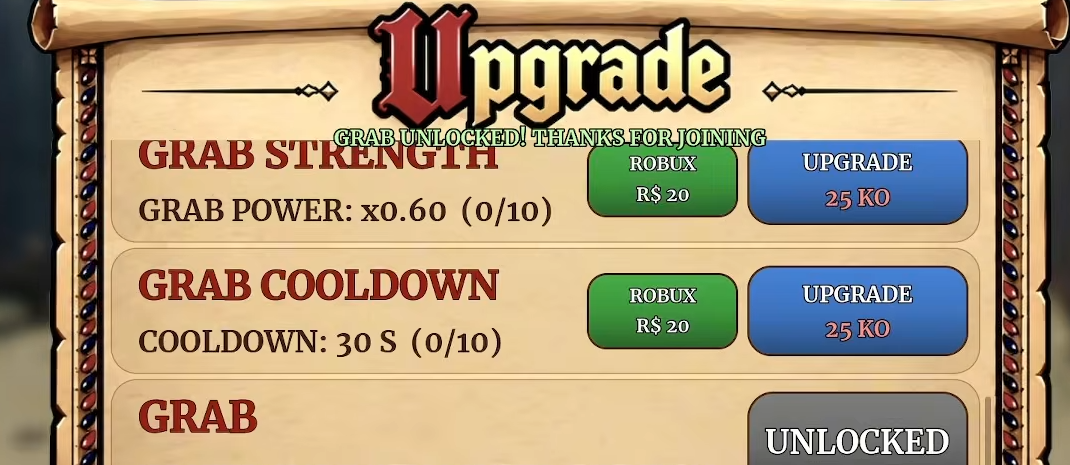
So the order is: open Upgrade, scroll to GRAB, press JOIN COMMUNITY, and watch the row change before you close the menu. If the row still says LOCKED, the group join did not go through, and no input will fix that.
The grab input on PC and on a controller
The hand you grab with decides the input.
| Hand | PC keyboard and mouse | Controller |
|---|---|---|
| Left hand | Q | LB |
| Right hand | E | RB |
The PC panel writes the line as Q / E: grab with left / right hand: players, objects, walls. The controller panel adds the release: LB / RB grab with left / right hand (press again to let go). Same input in, same input out.
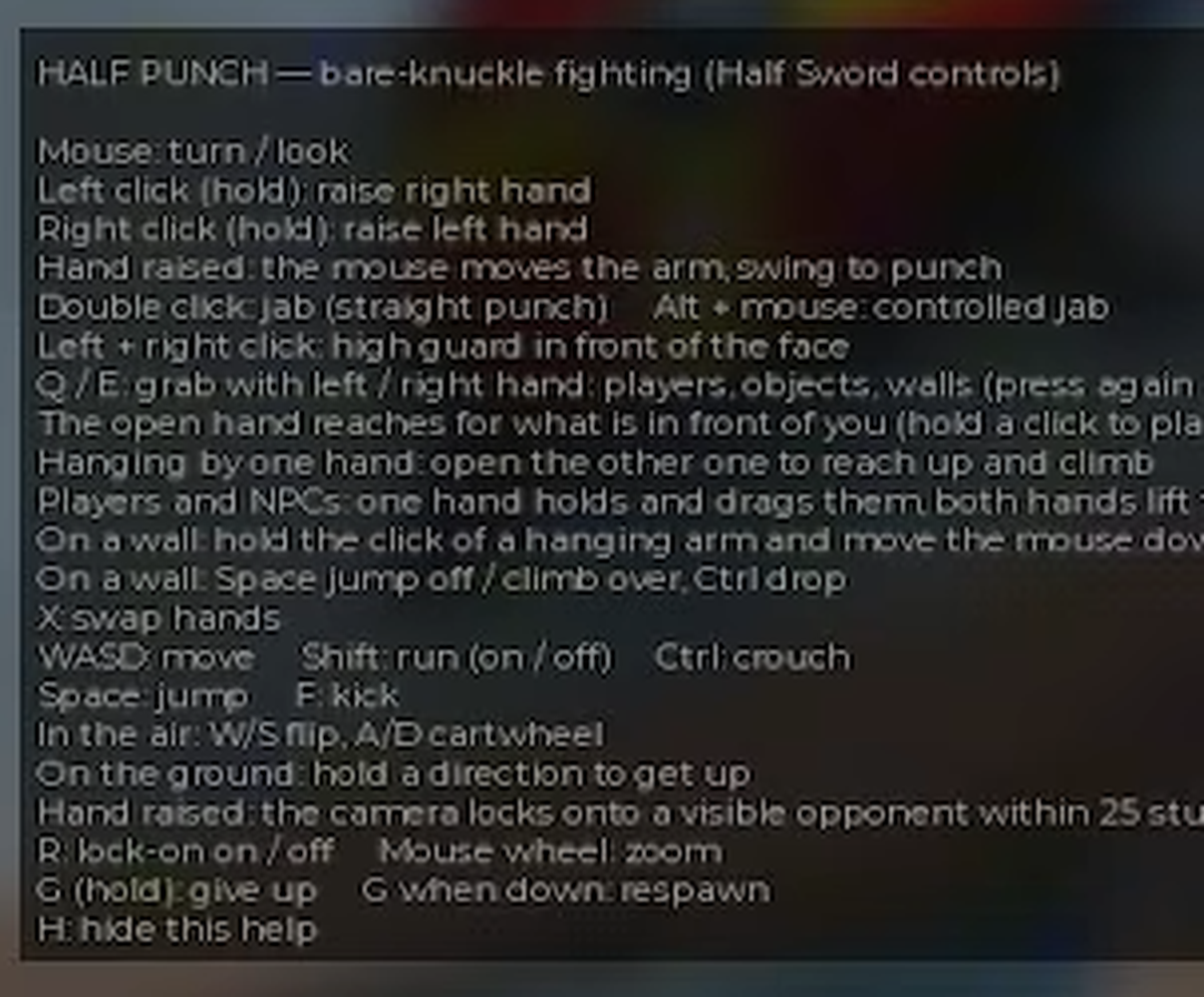
The PC panel also says the open hand reaches for what is in front of you. That makes the grab a placement, not a button press at any distance: raise the hand, face the target, then press.
What a grab lets you do
The panel names three uses in the same row: players, objects, walls.
Players and NPCs. The panel says one hand holds and drags them. That turns a grab into a way to move someone off a ledge or out of a corner instead of only stopping their next punch.
Objects. The unlock line includes objects, so the same input picks up what the game counts as grabbable, not only bodies.
Walls. The row promises CLIMB WALLS, and the panel describes hanging by one hand and opening the other one to reach up and climb. On a wall it also tells you to hold the click of the hanging arm and move the mouse, with Space to jump off or climb over and Ctrl to drop.
None of this needs a second purchase. The two grab upgrade lines change how the grab performs, not whether you can grab.
The 30-second cooldown
A GRAB COOLDOWN readout sits at the bottom right of the screen and counts the remaining seconds down. In the footage checked for this page the readout showed 28.1 s, 20.1 s, 12.1 s and 0.6 s at different moments, so the timer stays visible between grabs instead of appearing only when you press.
The Upgrade menu carries the value. At level zero, on 23 November 2026:
| Line | Value at level 0 | Price at level 0 |
|---|---|---|
| GRAB STRENGTH | GRAB POWER: x0.60 (0/10) |
R$20 or 25 KO |
| GRAB COOLDOWN | COOLDOWN: 30 S (0/10) |
R$20 or 25 KO |
GRAB STRENGTH is hold power: it decides how well you keep someone once you have them. GRAB COOLDOWN is the row that owns the timer, and it is levelled 0/10 like the rest. This page does not print what a level above zero subtracts, because no frame checked here showed one.
When grabbing does nothing
Four checks, in the order they are cheapest to make.
- The GRAB row still says LOCKED. Join The Big G Studio first. No input works on a locked row.
- The bottom right says
GRABBED - CAN'T GRAB. Another player is holding you. The message describes your own state, so it says nothing about your keys. - The GRAB COOLDOWN readout is above zero. Wait it out. Pressing again during the countdown cannot shorten it.
- The hand is not out, or the target is not in front of it. The panel ties the grab to the open hand reaching forward, so raise the hand and face the target before pressing.
What this page has not read
This page was written from the build live on 23 November 2026. Three things are missing, and each one would finish a section:
- Touch layout. No phone or tablet panel was observed, so this page prints no touch input.
- Cooldown per level. Only level zero was on screen, so the page prints 30 seconds and no per-level table.
- Throwing a held player. The Upgrade menu's THROWBACK stat says throws exist, but no frame checked here showed the input, so this page does not describe one.